Notes that stay simple.
Colour cards, headings that fold, checklists, tables and sheets. Everything stays on your phone, so it works without a connection. An account is optional: it is only needed to sync notes between your devices and to use the web version.
Download for Android mylNotes.apkThe iOS app is coming.
Open the web versionUses a free accountIn Russia, without a VPN: web version · Android app
- Offline
- No account
- 9 colours
- Dark theme
- Free to start
Your notes at a glance
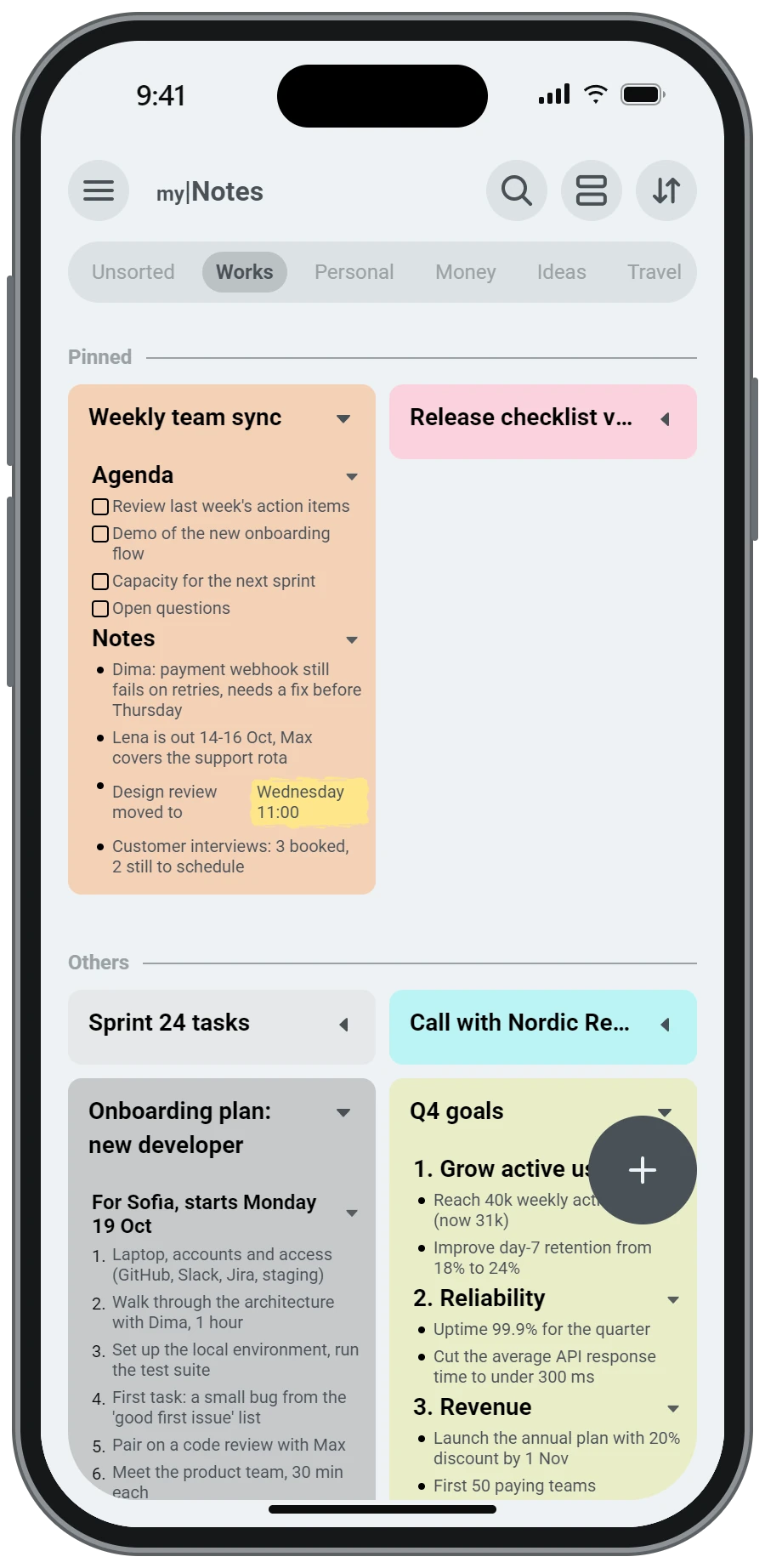
Every note is a colour card. Open a card in place to read it without leaving the list, and pin the ones you need every day.
- Tap the arrow on a card to read the note right in the list
- Pinned notes stay on top
- Groups as tabs: Works, Personal, Money, your own
Long notes that stay tidy
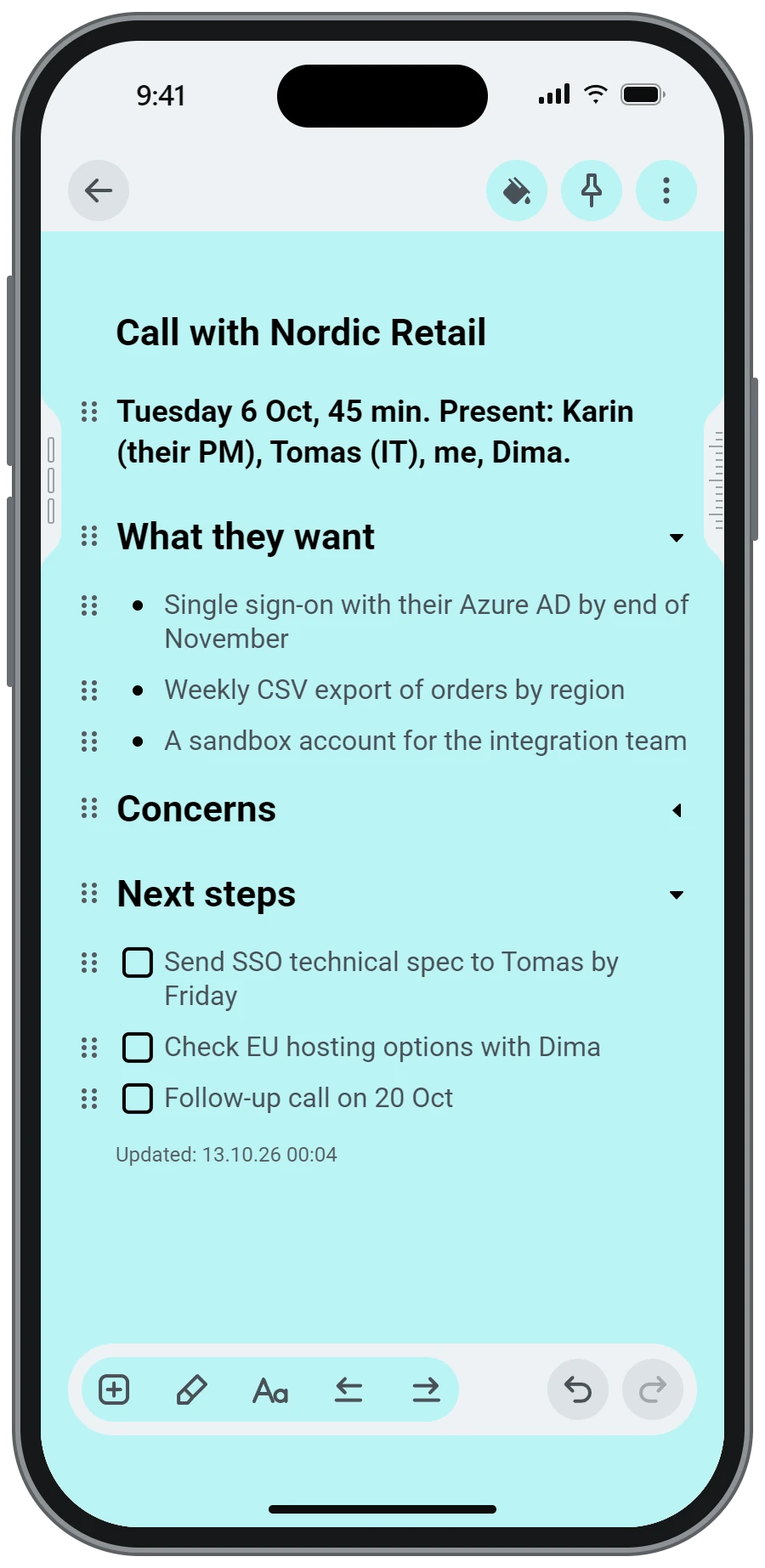
Make a heading and its lines fold under it. A meeting, a plan or a recipe shows only what you need right now.
- Two heading levels that fold and unfold with a tap
- Bullets, checkboxes and plain text in the same note
- Drag the dots to move any line
A list, a checklist or a table in one tap
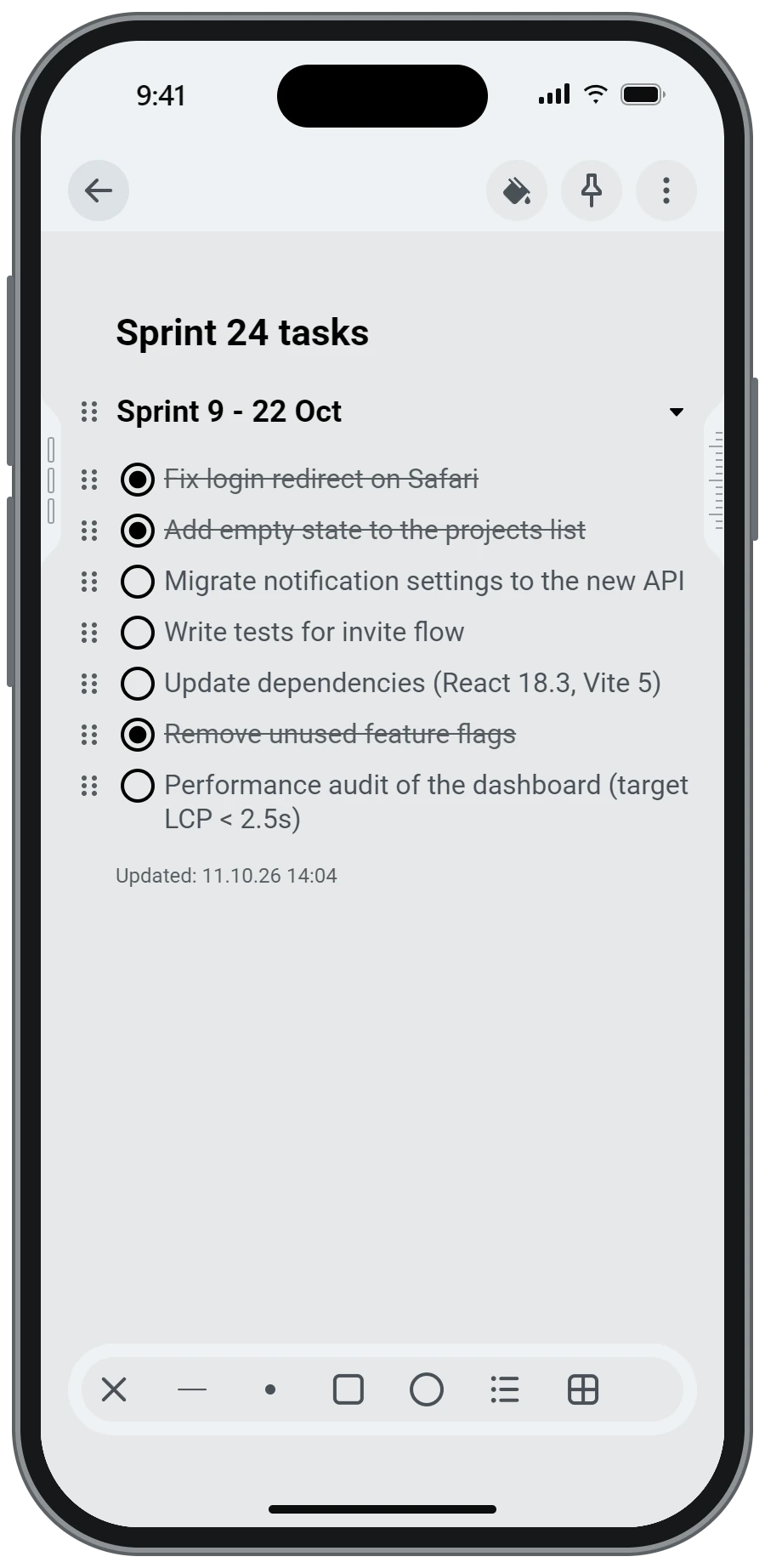
The plus button opens the blocks: a line, a point, a checkbox, a checklist, a numbered list and a table. No menus to dig through.
- Checklists that cross out done items
- Bullet points and numbered lists
- Plain lines and checkboxes in the same note
Real tables on a small screen
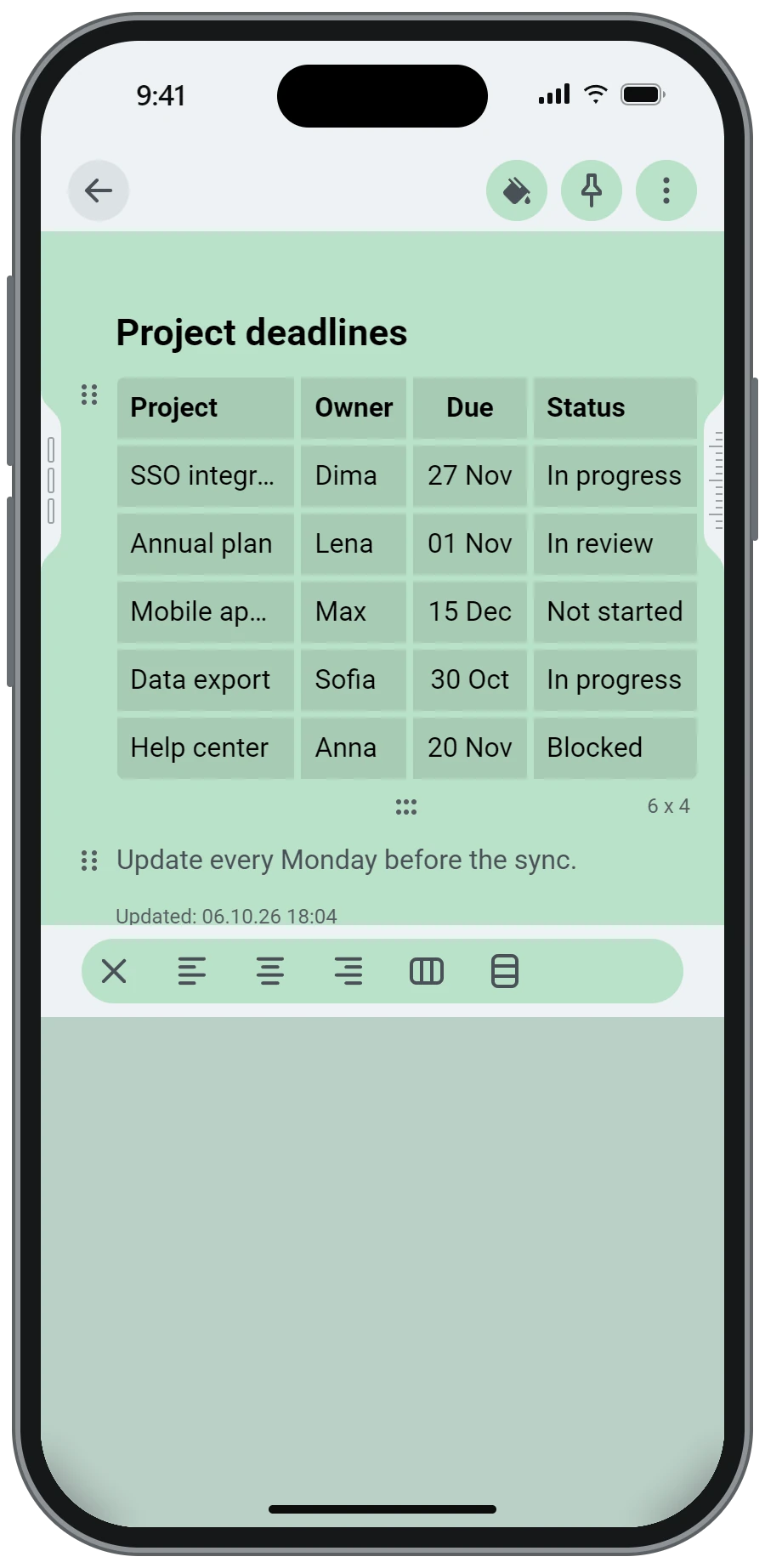
Add a table and fill it like a spreadsheet. Pick a whole row or column, align the text and colour the cells.
- Pick a row or a column with one tap
- Align left, centre or right
- Merged cells and table styles
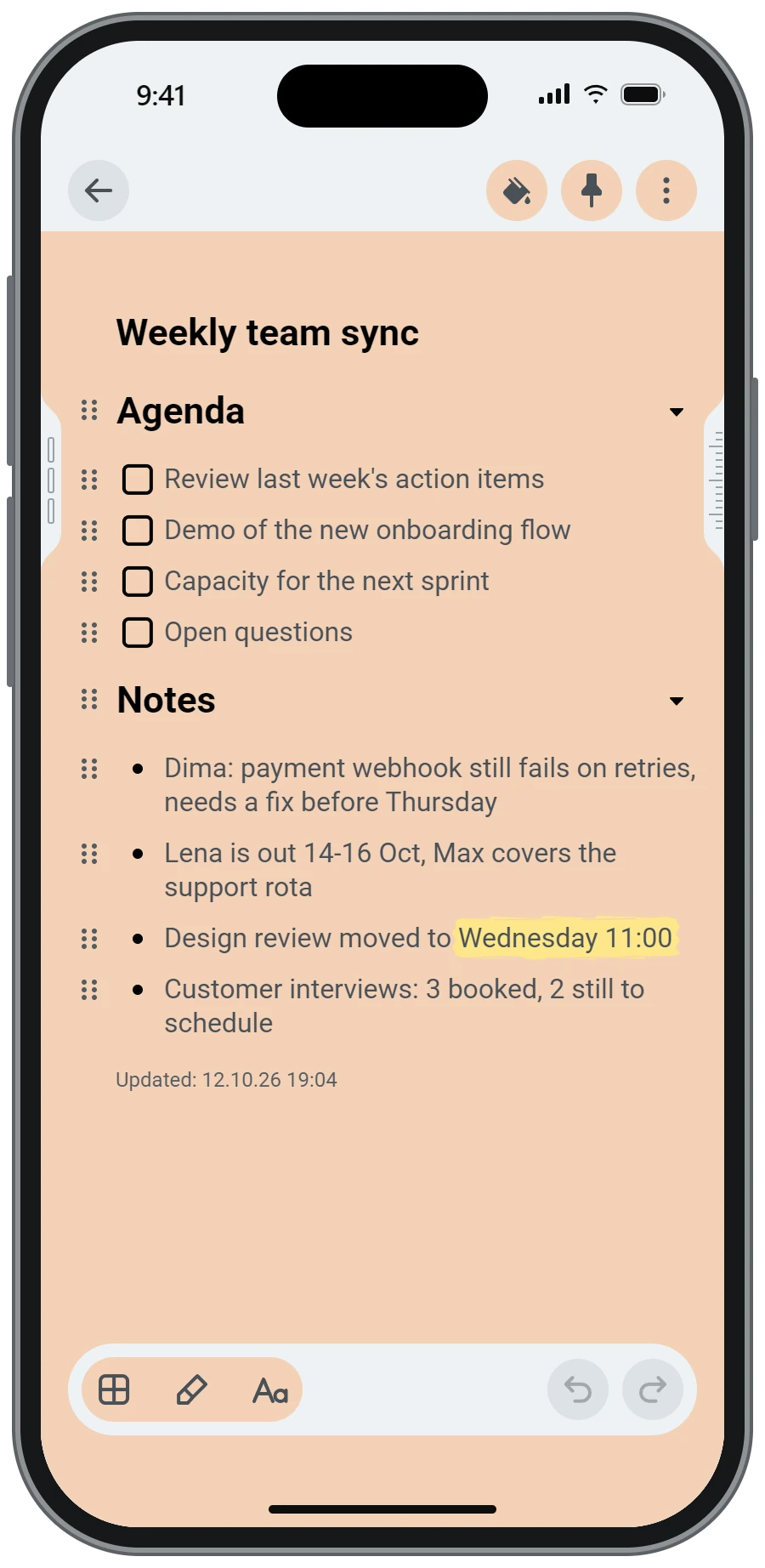
Mark what matters
Select a word or a line and highlight it. Come back later and the important part is still the first thing you see.
- Four marker colours
- Bold, italic and headings from the Aa button
- Marks show on the card in the list too
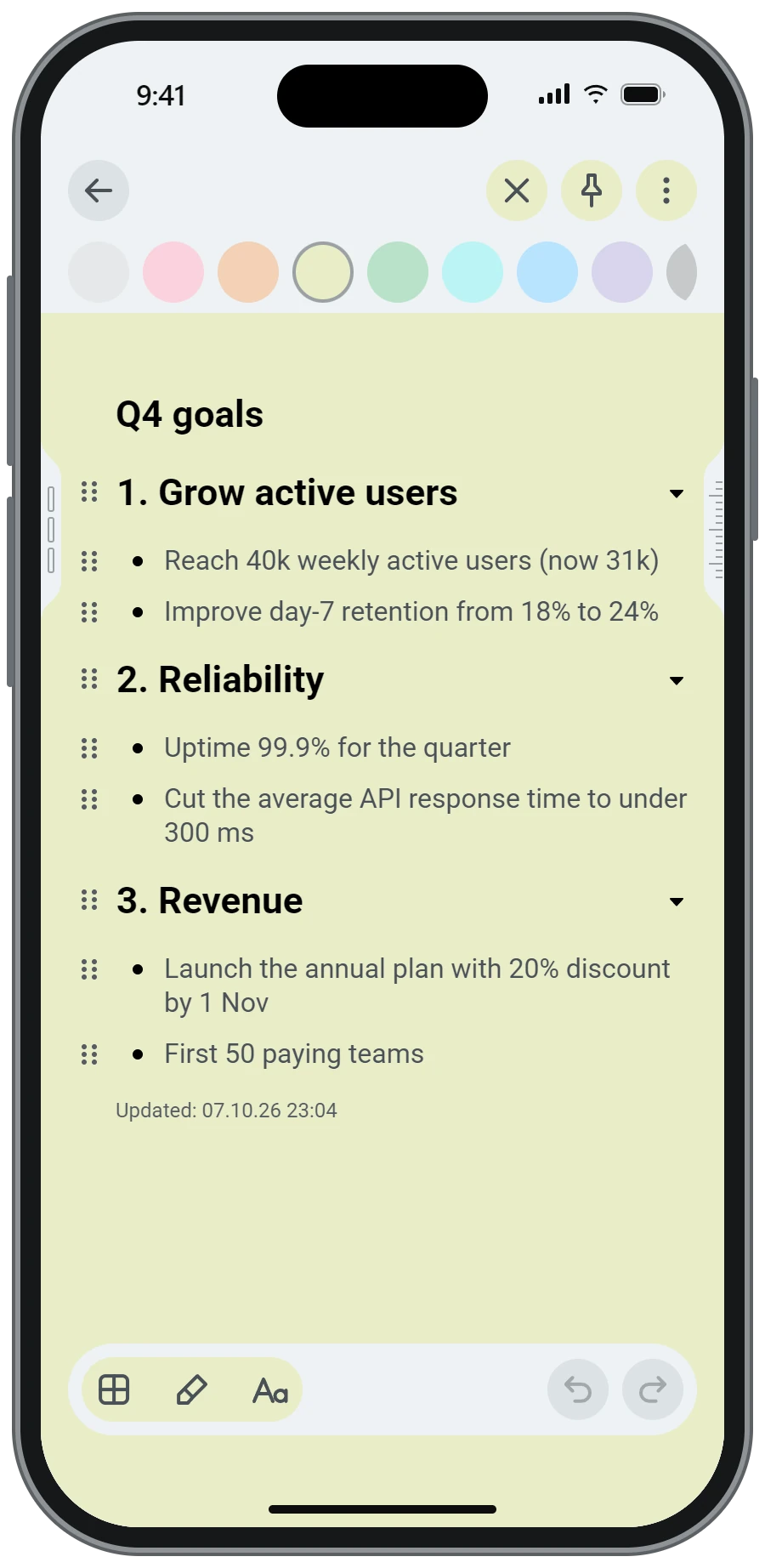
Nine soft colours
Paint a note in a colour that means something to you: work, home, money, ideas. The list becomes easy to scan.
- One tap on the paint bucket
- Soft tones, readable in light and dark theme
- Colour is the only decoration - the rest stays neutral
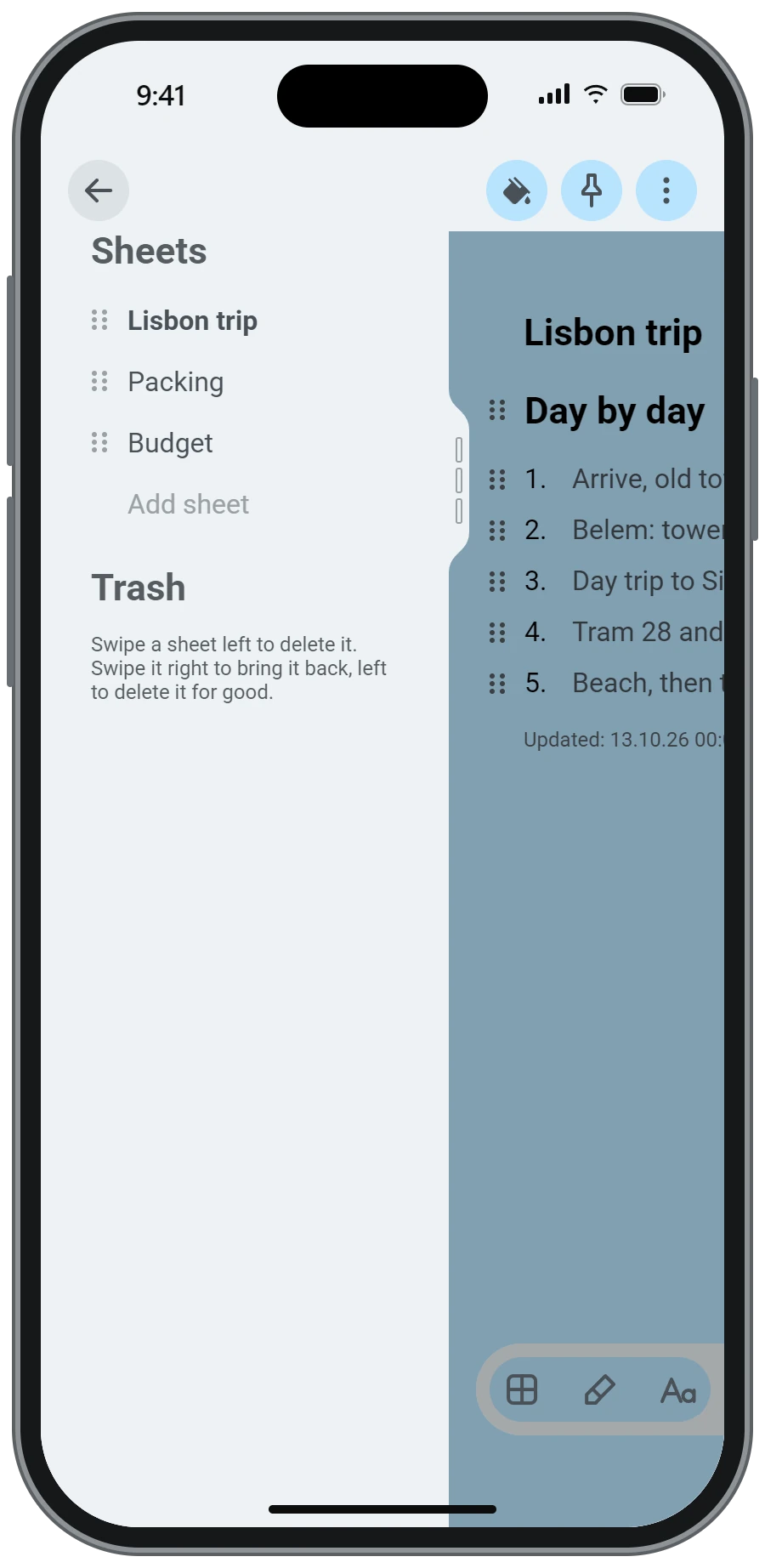
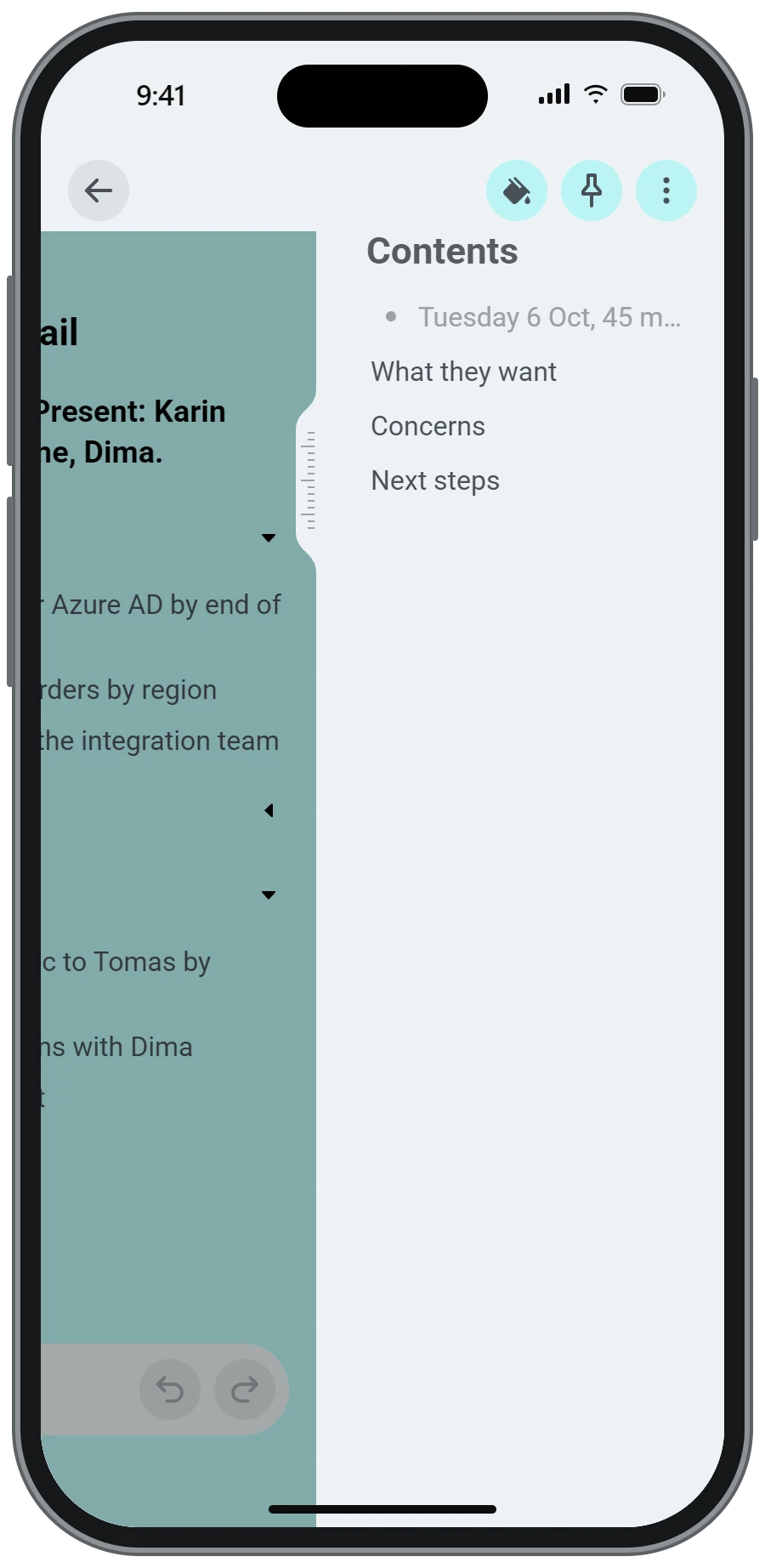
A note is a book
Split a long note into sheets and move between them. The Contents panel lists the headings of the sheet, so you jump straight to the line you need.
- Swipe right for sheets, left for contents
- Add, rename, reorder and delete sheets
- Search, share and export see every sheet
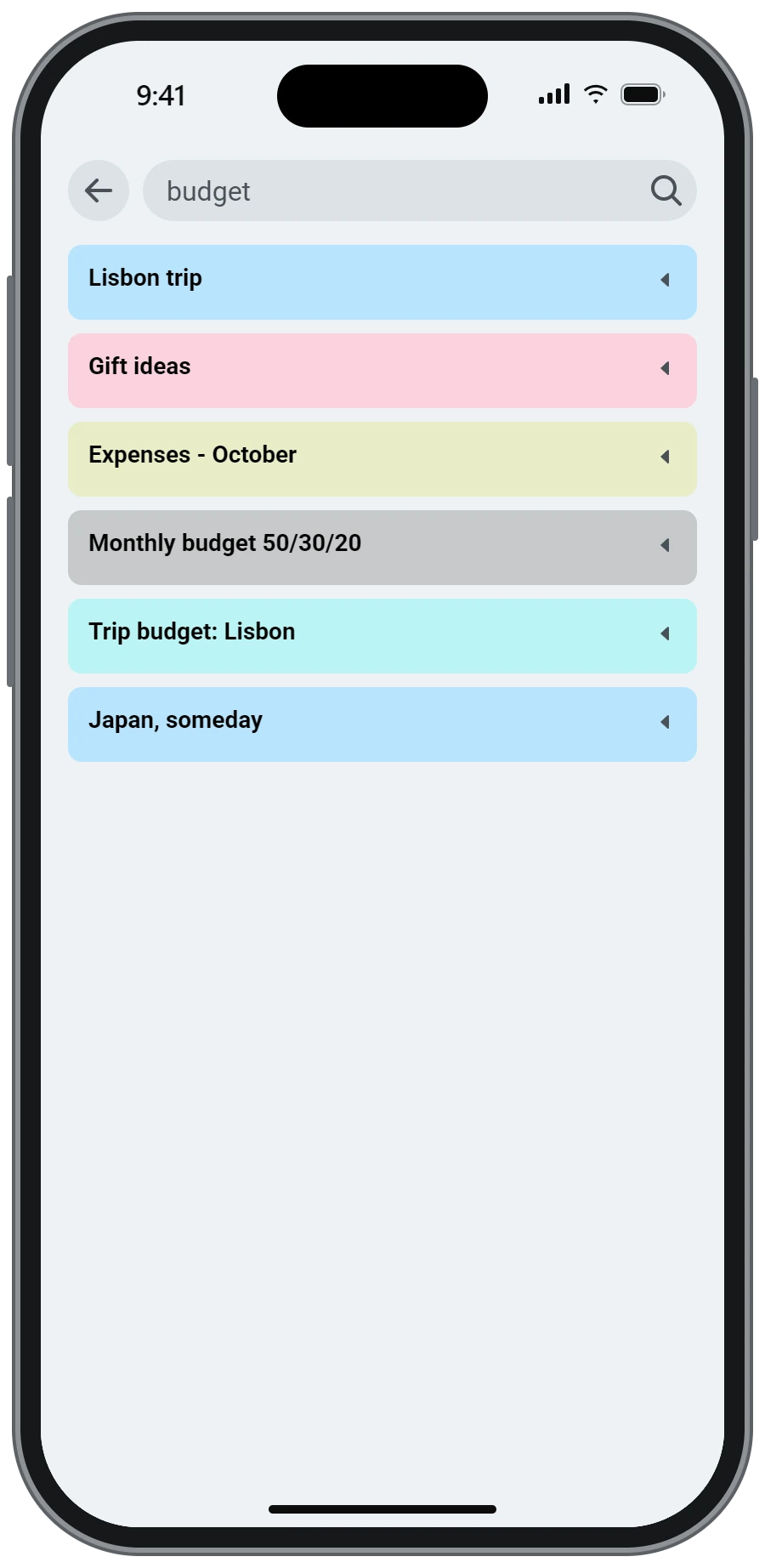
Find a note in seconds
Search looks through titles and text of every sheet and shows the matching cards in their colours.
- Type and the cards appear as you go
- Works offline, on your own notes
- Trash and Archive keep what you removed
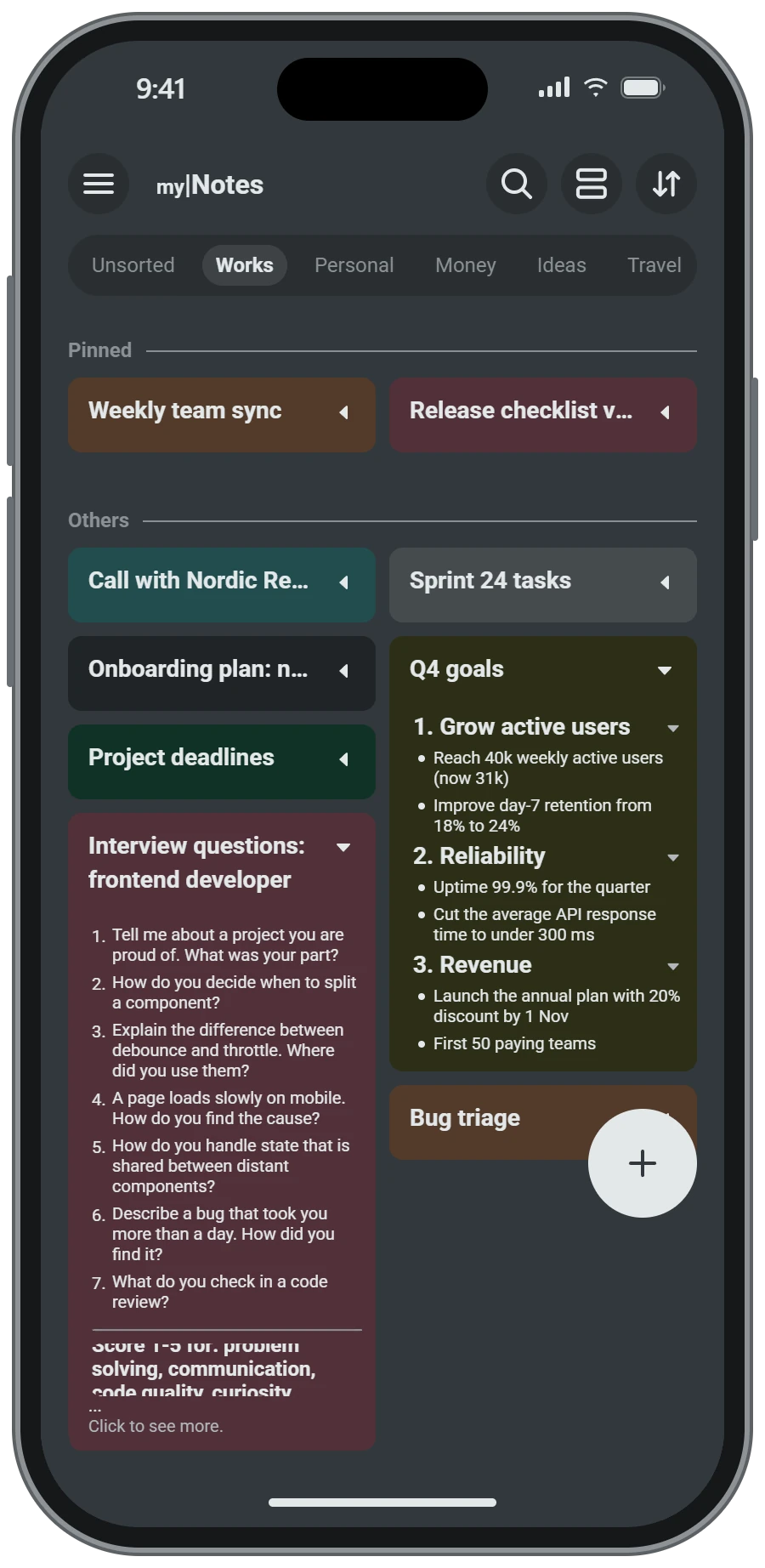
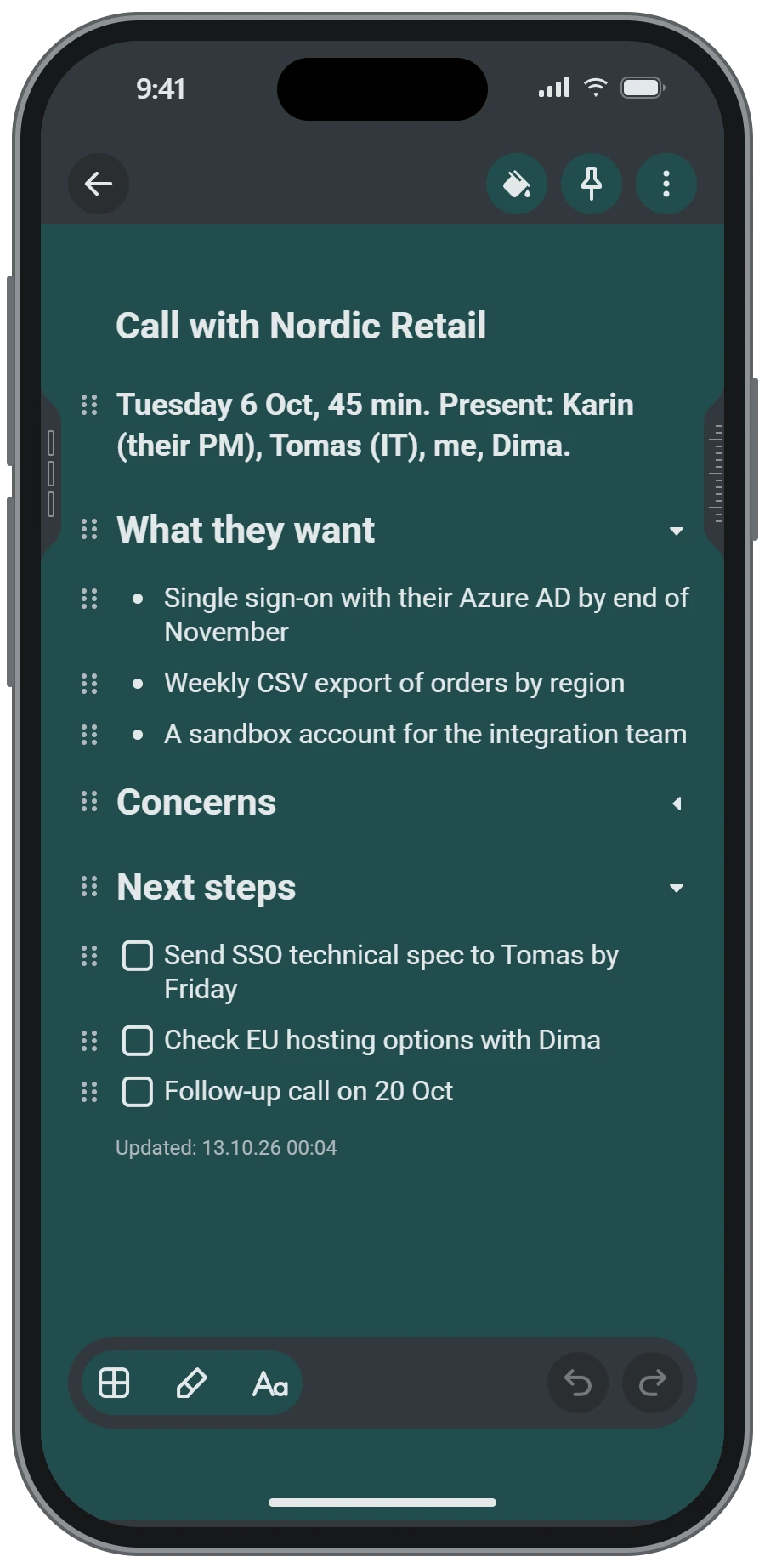
Easy on the eyes at night
Light, dark, or the same as your phone. The note colours switch to deep tones that keep the same look.
- Choose it once in the menu
- Same colours, softer in the dark
- Nothing to configure
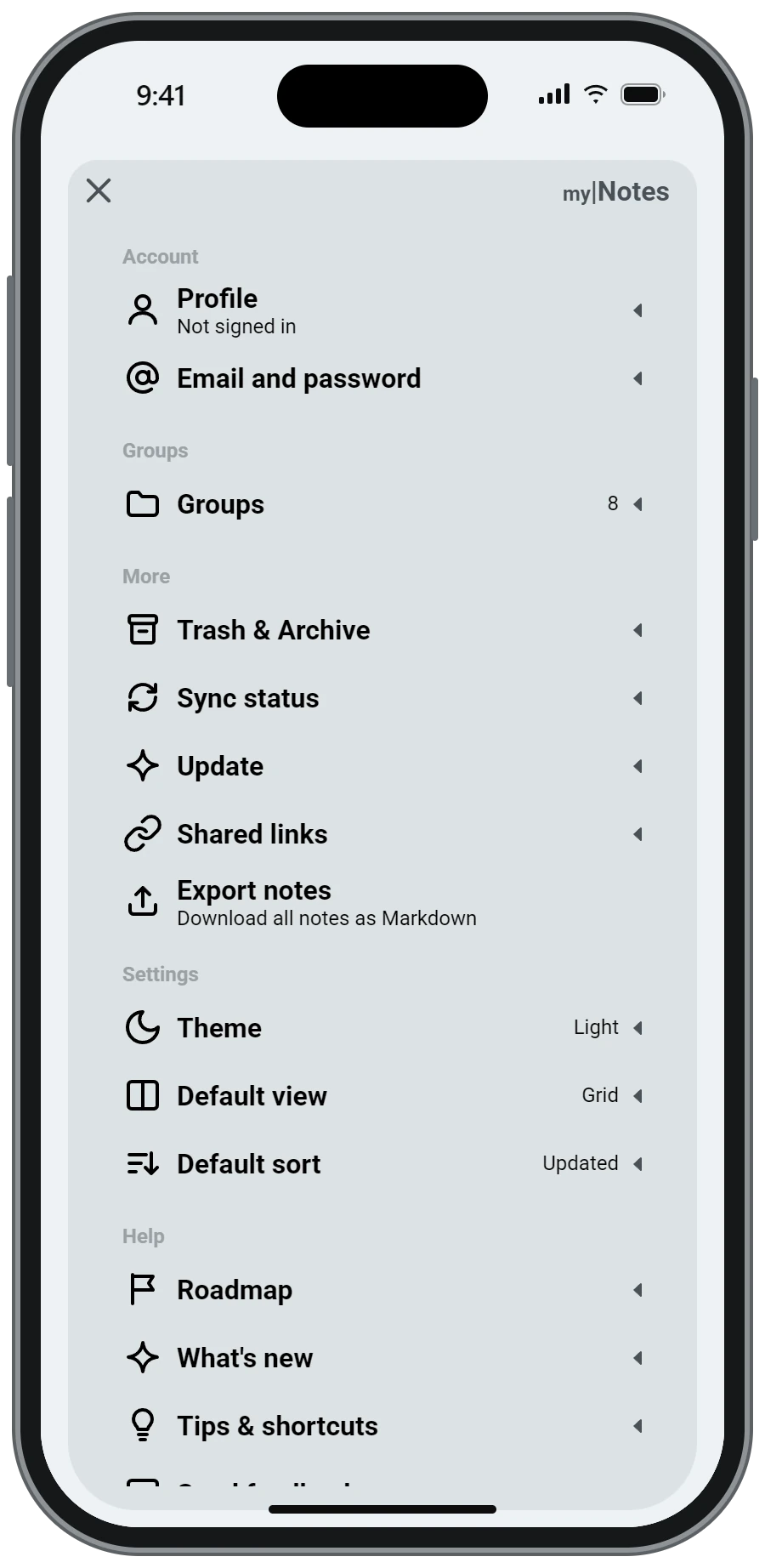
Yours, and on your phone
No sign-up. Your notes are saved on the device and work on a plane. When you want them elsewhere, export every note as Markdown.
- Groups: create, rename and reorder
- Export all notes as Markdown
- Updates arrive inside the app
Offline first
Everything is saved on your device.
No account
Open the app and write. Sign-in is only for sync later.
Your data
Export all notes as Markdown any time.
Plain and quick
Open the app, write, done.
Accounts and Google sign-in
mylNotes is a note-taking app. In the Android app you can write notes without any account: they stay on your phone. An account (e-mail and password, or “Continue with Google”) is only needed to sync your notes between devices and to use the web version. When you sign in with Google, mylNotes receives only your e-mail address and whether Google has confirmed it; it is used to find or create your mylNotes account and for nothing else. mylNotes does not access any other data of your Google account. Read the Privacy Policy and the Terms of Service.
How to install
- Tap Download for Android and open the downloaded file.
- If Android asks, allow installing apps from this source (your browser or Files).
- Tap Install, then open mylNotes. New versions are offered inside the app.
Prefer no install? Open the web version in your browser (sign in with a free account, then add it to your home screen if you like).
Download for AndroidmylNotes.apk